


Logitech MX Keys Mini Keyboard Review: 4 Reasons to Buy and 4 Reasons Not to Buy
Logitech has always offered various scissor-switch keyboards, primarily targeting the business market. Recently, they launched a mini version of their high-end MX Keys keyboard, the MX Keys Mini, which features a 60% layout, removes the number pad, but is otherwise almost identical in design. After using it for a while, I've summarized 4 reasons to buy it and 4 reasons not to buy it. If you're interested, take a look to see if this keyboard is right for you.
4 Reasons to Buy:
1) Cross-platform wireless connectivity
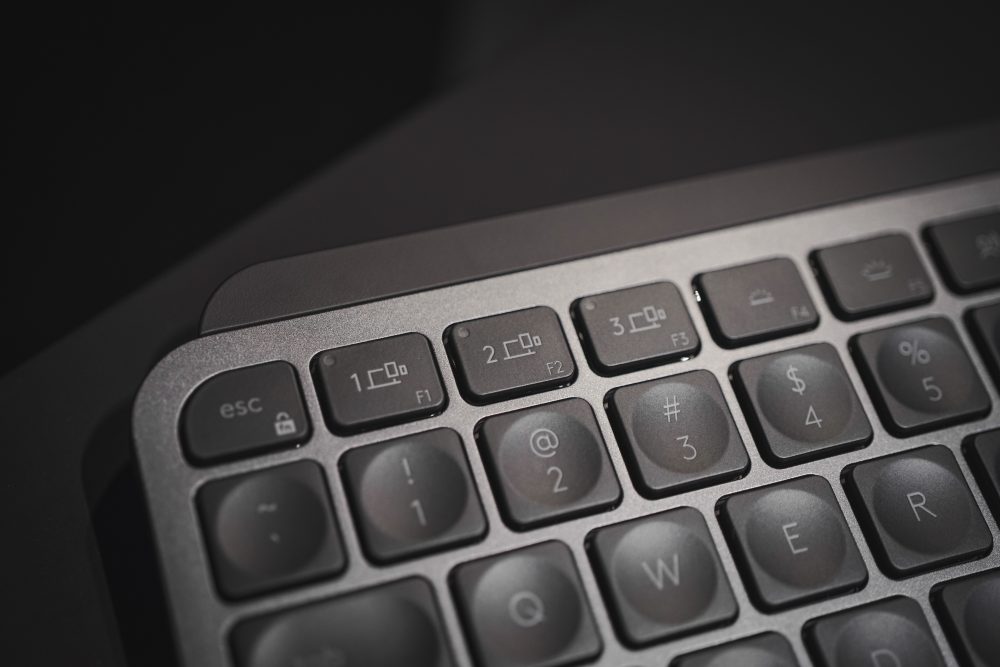
One of Logitech's biggest advantages is its wireless connectivity technology, which allows for easy creation of a completely wireless office setup. The MX Keys Mini supports various platforms including Android, ChromeOS, Linux, iOS, and iPadOS, and can connect via Bluetooth or the new Bolt receiver. The MX Keys Mini can pair with up to 3 devices simultaneously, allowing users to switch between devices using hotkeys, which is very convenient for those with multiple devices.
2) Space-saving 60% layout
The original MX Keys has a full-size layout, with a total keyboard length of 420mm. The MX Keys Mini, adopting a 60% layout, removes the numeric keypad and editing keys, integrating the arrow keys into the main keyboard, similar to a standard laptop keyboard. This significantly reduces the length to 295.99mm, freeing up more desk space for users with limited space, allowing for more room for a mouse or touchpad.
3) Backlight, spherical keycaps
The main keys of the MX Keys Mini feature spherical dished keycaps, with a certain degree of concavity in the center to better fit the user's fingers, providing a good overall typing experience. In addition, the keyboard supports automatic backlighting, which activates only when the user's fingers approach the keyboard. The backlight brightness also adjusts automatically based on ambient light, and users can, of course, adjust it manually.
The MX Keys Mini's hotkeys have also evolved with the times, adding Emoji keys, voice-to-text keys, and a microphone mute key, making it convenient for users to type emojis in chats and mute themselves during video conferences.


4) Black, White, Pink Color Options
While the original MX Keys only came in graphite, the MX Keys Mini also offers a graphite option, as well as a light gray version with white keys and a silver panel, and a rose pink version with a full pink color scheme. I still find the graphite to be the most professional and stylish, but having options is always good.
4 Reasons Not to Buy
1) Only 10 days of battery life with backlight on
The MX Keys Mini charges via USB-C, and due to its low-power Bluetooth connection, a full charge can last 5 months with the backlight off, which is ample. However, with the keyboard backlight enabled, the battery life drops sharply to 10 days. While this keyboard is primarily used on a desk, 10 days of battery life means users will need to remember to charge it about once a week.

2) Insufficient key layout design
The MX Keys Mini does not have a traditional numeric keypad, making it unsuitable for users who need to input a lot of numbers. Additionally, the key layout of the MX Keys Mini could be improved. For example, the arrow keys are significantly reduced in size, leading to a stark difference in feel compared to normal keys. They could have reduced the size of the Shift key or adopted a 65% layout; the overall keyboard size wouldn't be much larger, but the user experience would be greatly enhanced.

3) No Bolt receiver included
In addition to Bluetooth connectivity, the MX Keys Mini also supports wireless connection via a receiver, this time using Logitech's new Bolt receiver, which is not compatible with the older Unifying receiver. The MX Keys Mini surprisingly does not come with a Bolt receiver, so if your computer doesn't support Bluetooth, you'll need to purchase a Bolt receiver separately to connect it, whereas the MX Keys did come with a receiver.
4) Same price for different sizes
The MX Keys Mini and the original full-size MX Keys are both priced at $899. Some users might feel they are "losing out" by buying the smaller version, and I somewhat share that sentiment, but a smaller size doesn't necessarily mean fewer materials. It also depends on individual needs; for example, my desk is really small, so even if the price is the same, I would have to choose the Mini version. What bothers me more is that the MX Keys comes with a palm rest and receiver, while the MX Keys Mini does not.


